> ## Documentation Index
> Fetch the complete documentation index at: https://documentation.uponai.com/llms.txt
> Use this file to discover all available pages before exploring further.
# Transfer Call
> Route calls to human agents or other departments during a live conversation.
## Overview
Transfer Call enables your agent to hand off a conversation to a human agent or another destination mid-call.
***
## Setup
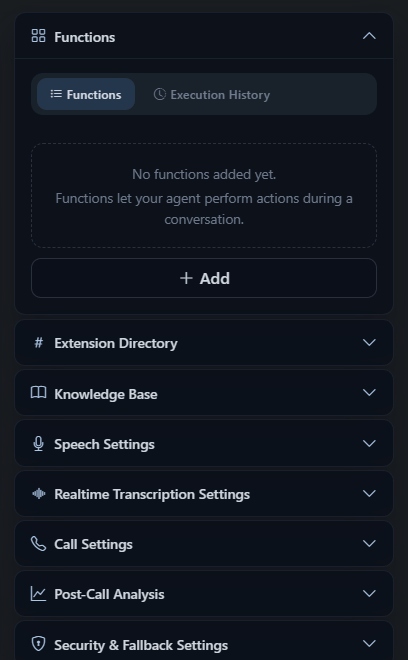
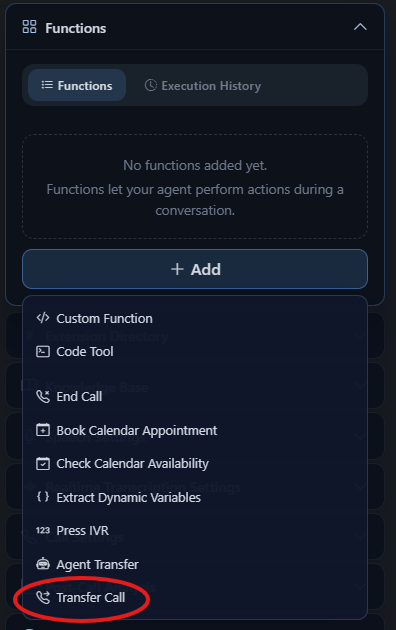
In your agent's Functions section, click **+ Add** and select **Transfer Call** from the dropdown.
 Select how the AI should handle the handoff:
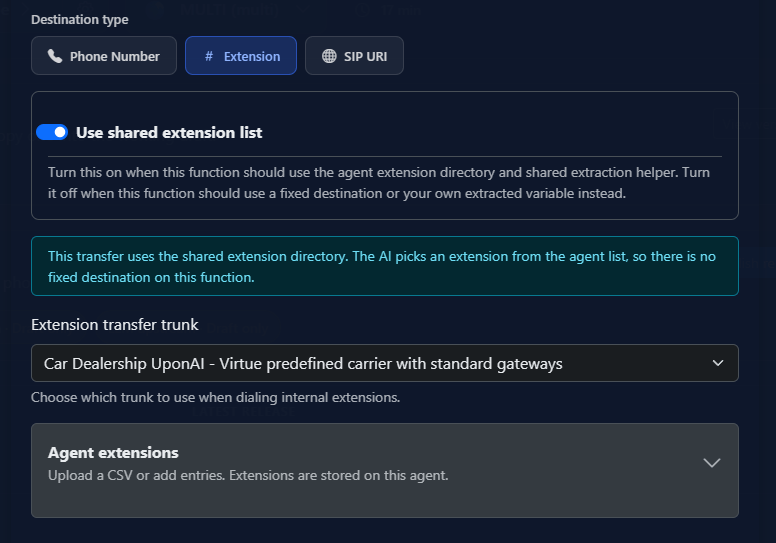
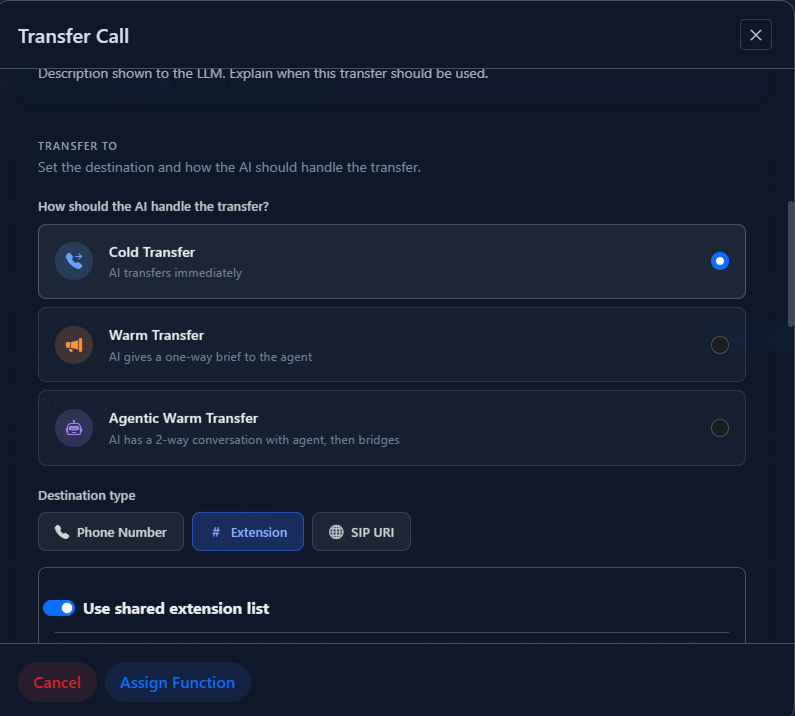 Provide the number or SIP URI to transfer to:
| Format | Example |
| ------------------ | ------------------------- |
| E.164 phone number | `+14158923245` |
| SIP URI | `sip:username@domain.com` |
You can also include optional extensions, or use dynamic variables to set the destination at runtime.
Provide the number or SIP URI to transfer to:
| Format | Example |
| ------------------ | ------------------------- |
| E.164 phone number | `+14158923245` |
| SIP URI | `sip:username@domain.com` |
You can also include optional extensions, or use dynamic variables to set the destination at runtime.
 Tell the agent when to trigger a transfer. Example:
```txt theme={null}
If the caller sounds frustrated or requests a human agent, use the transfer_call tool to route them to a representative.
```
***
## Transfer Types
Direct handoff. The AI agent disconnects immediately after routing the call — no introduction.
The AI agent stays on briefly to detect human presence, deliver a whisper message, and introduce the caller before dropping off.
***
## Warm Transfer Options
| Setting | Description |
| ----------------------- | ----------------------------------------------- |
| On-hold music | Played while connecting |
| IVR navigation prompts | Navigate menus before reaching a human |
| Human detection timeout | Default 30 seconds |
| Auto-greeting | Agent speaks when human answers |
| Whisper message | Private message delivered to the recipient only |
| Three-way introduction | Agent introduces caller before dropping off |
***
## Additional Options
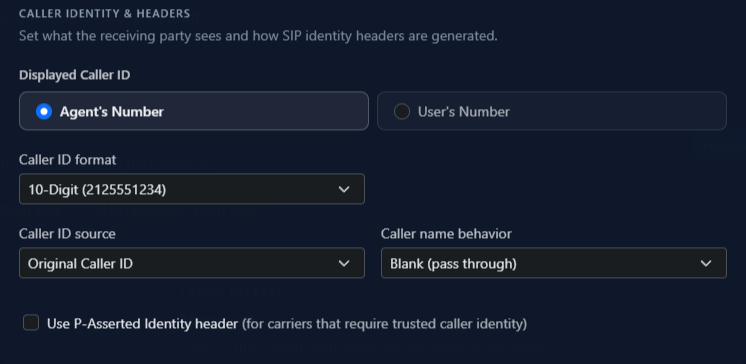
* **Caller ID**: Show the agent's number or the original caller's number (depends on telephony provider support)
* **Custom SIP headers**: Add headers prefixed with `X-` or labeled `User-To-User` for routing and metadata
Tell the agent when to trigger a transfer. Example:
```txt theme={null}
If the caller sounds frustrated or requests a human agent, use the transfer_call tool to route them to a representative.
```
***
## Transfer Types
Direct handoff. The AI agent disconnects immediately after routing the call — no introduction.
The AI agent stays on briefly to detect human presence, deliver a whisper message, and introduce the caller before dropping off.
***
## Warm Transfer Options
| Setting | Description |
| ----------------------- | ----------------------------------------------- |
| On-hold music | Played while connecting |
| IVR navigation prompts | Navigate menus before reaching a human |
| Human detection timeout | Default 30 seconds |
| Auto-greeting | Agent speaks when human answers |
| Whisper message | Private message delivered to the recipient only |
| Three-way introduction | Agent introduces caller before dropping off |
***
## Additional Options
* **Caller ID**: Show the agent's number or the original caller's number (depends on telephony provider support)
* **Custom SIP headers**: Add headers prefixed with `X-` or labeled `User-To-User` for routing and metadata