> ## Documentation Index
> Fetch the complete documentation index at: https://documentation.uponai.com/llms.txt
> Use this file to discover all available pages before exploring further.
# Introduction
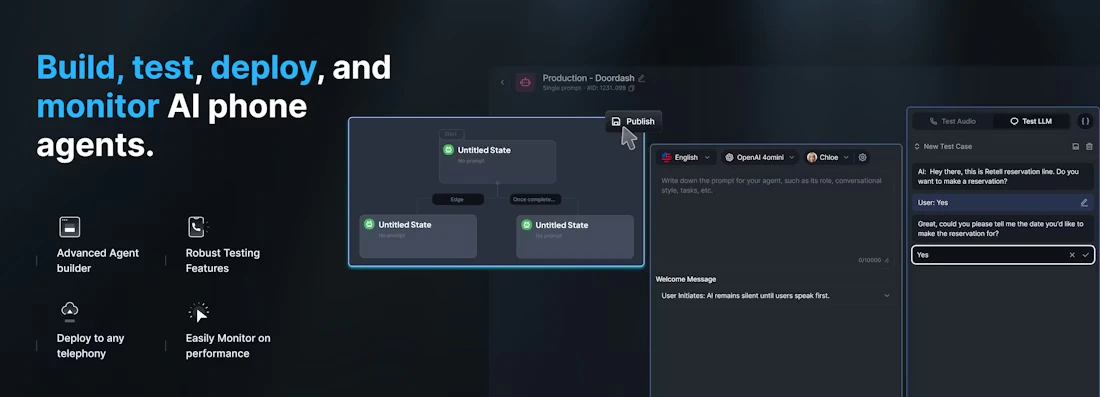
> Build, test, deploy, and monitor AI phone agents.
UponAI is a comprehensive platform for building, testing, deploying, and monitoring reliable AI phone agents. The platform supports both inbound and outbound calls, integrates with various telephony providers, and offers robust testing and monitoring capabilities.
 ## 🚀 Get Started
Create your first phone agent in 5 minutes.
Node.js and Python SDKs to integrate UponAI into your application.
## 🛠️ Build
Create agents with fine-grained control for structured conversations.
Create flexible agents for dynamic conversations using prompt-based configuration.
## 🧪 Test
Interactively test and debug your agents in a web-based environment.
Automated testing with simulated conversations to validate agent behavior at scale.
## 🚀 Deploy
Make and receive phone calls with UponAI numbers or your own.
Integrate your own telephony provider via SIP.
## 🔍 Monitor
Set up webhooks to receive real-time events for your calls.
Extract insights and metrics from your call history.
## 🚀 Get Started
Create your first phone agent in 5 minutes.
Node.js and Python SDKs to integrate UponAI into your application.
## 🛠️ Build
Create agents with fine-grained control for structured conversations.
Create flexible agents for dynamic conversations using prompt-based configuration.
## 🧪 Test
Interactively test and debug your agents in a web-based environment.
Automated testing with simulated conversations to validate agent behavior at scale.
## 🚀 Deploy
Make and receive phone calls with UponAI numbers or your own.
Integrate your own telephony provider via SIP.
## 🔍 Monitor
Set up webhooks to receive real-time events for your calls.
Extract insights and metrics from your call history.