
Integration Methods
Elastic SIP Trunking (Recommended)
Connect via SIP trunk. Supports all telephony features available with UponAI numbers. Works with most major telephony providers.
Dial to SIP URI
Dial calls directly to a UponAI SIP URI. Use this if your provider doesn’t support elastic SIP trunking or you have complex routing needs.
UponAI SIP Server Details
Transport methods supported:
Audio codecs: PCMU, PCMA, G.722 (HD)
Media encryption: SRTP (requires TLS transport)
Method 1: Elastic SIP Trunking (Recommended)
Elastic SIP Trunking connects UponAI’s VoIP infrastructure with the PSTN so your agents can make and receive calls. All telephony features supported by UponAI numbers are also supported here (assuming your provider supports them). Supported providers with detailed guides:Twilio
Connect via Twilio SIP trunking
Telnyx
Connect via Telnyx SIP trunking
Vonage
Connect via Vonage SIP trunking
Amazon Connect
Connect via Amazon Connect
Avaya
Connect via Avaya
Five9
Connect via Five9
Genesys
Connect via Genesys
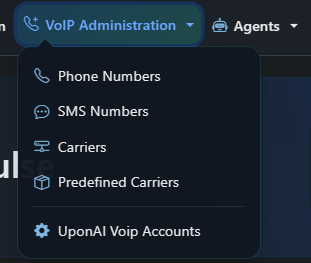
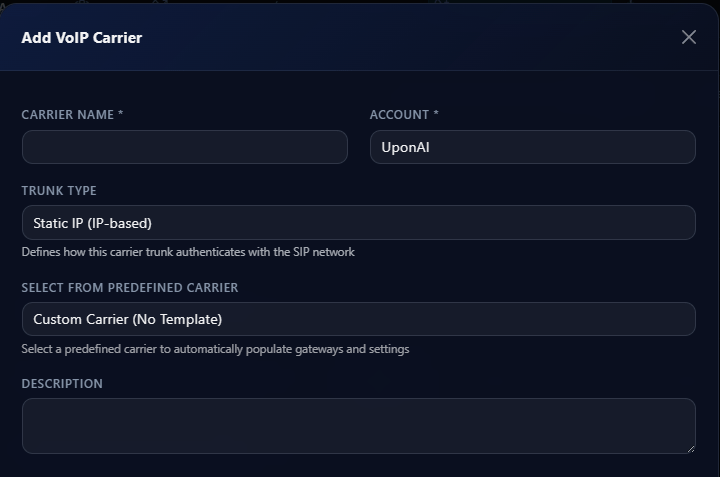
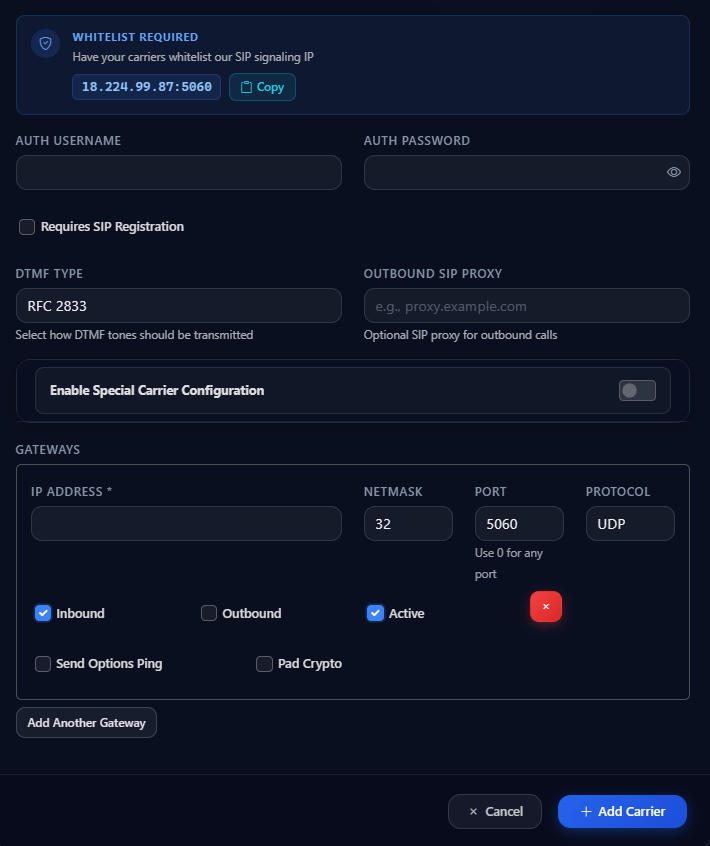
To add a carrier, go to VoIP Administration → Carriers and click Add Carrier. Set the carrier name, trunk type, and select a predefined carrier template or configure a custom carrier.
Method 2: Dial to SIP URI
Use this method if your provider doesn’t support elastic SIP trunking, or you have complex routing requirements. With this method, UponAI doesn’t directly make or receive calls — your system dials the call to a specific SIP URI. All traffic appears as inbound to UponAI, so you specify the call direction.1
Register the phone call
Call the Register Phone Call API to get a
call_id and determine which agent handles the call.2
Construct the SIP URI
Build the SIP URI using the
call_id:3
Dial the call
Dial the call to that SIP URI within 5 minutes of calling Register Phone Call. If not connected in time, the call disconnects with
registered_call_timeout.Node
Security
UponAI uses enterprise-grade security for all SIP communications. We recommend TLS 1.2 or higher for all SIP signaling.Mutual TLS (mTLS)
mTLS requires both client and server to present certificates — providing stronger authentication than standard TLS and protecting against man-in-the-middle attacks. UponAI uses a client certificate issued by AWS Private Certificate Authority (PCA). To validate UponAI’s TLS client certificate, add the root certificate to your SIP server’s trusted certificate store. To enable mTLS for your account, contact support@uponai.com.Telephony Partners
For custom SIP call flow manipulation or needs not directly supported by UponAI:- Jambonz — SIP server with static IP support. Can connect to UponAI’s SIP server for call flow manipulation. Dedicated support channel available for UponAI users.
- Cloudonix — CPaaS that connects to UponAI’s SIP server for call flow manipulation.