Documentation Index

Fetch the complete documentation index at: https://documentation.uponai.com/llms.txt

Use this file to discover all available pages before exploring further.

This guide will walk through how to purchase a number from UponAI. The numbers are managed by UponAI, so you don’t have to worry about the telephony infrastructure.
Currently we only support purchase of US and Canada numbers and support making calls to 15 countries. If you are looking to use numbers from other countries, or to make calls to more countries, or to use your own telephony provider, check out the Custom Telephony guide.

From Dashboard

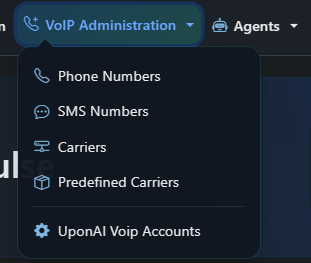
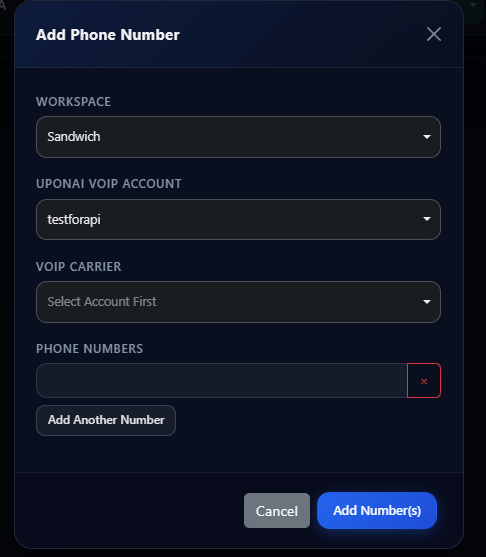
You can purchase and bind agents to the number from the dashboard. You can optionally specify the area codes you want to purchase from. After the number is purchased, you can change its nickname so that it’s easier to find and identify. At this stage, the number should already be ready to accept inbound calls if you have assigned an inbound agent. Give it a try by calling it!

From API

Check out the Create Phone Number API Reference for all the parameters you can use programmatically. Phone numbers are yours once purchased, and can be used indefinitely. You can assign different inbound and outbound agents to the number. If you don’t want users to be able to call this number (e.g. you are doing outbound only and don’t want callbacks), you can leave inbound_agent_id unset.
const phoneNumberResponse = await uponai.phoneNumber.create({
  inbound_agent_id: "oBeDLoLOeuAbiuaMFXRtDOLriTJ5tSxD", // replace with your agent id
  outbound_agent_id: "oBeDLoLOeuAbiuaMFXRtDOLriTJ5tSxD", // replace with your agent id
});

console.log(phoneNumberResponse);

Pricing

We support both Twilio and Telnyx numbers:

Twilio

  • US numbers: $2/month
  • US toll-free numbers: $5/month
  • Canadian numbers: $2/month

Telnyx

  • US numbers only: $2/month
Toll-free numbers cost $0.06 per minute for inbound calls. Outbound calls are charged at the same rate as regular U.S. numbers.