
1
Select a Language Model
We recommend starting with GPT-4.1, which offers an optimal balance of: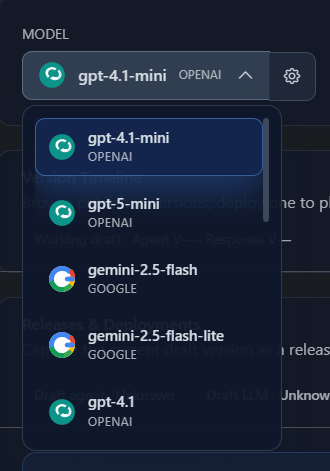
- Response quality
- Latency
- Cost-effectiveness
2
Select a Voice
Choose from available voices, each with a unique voice ID. Preview voices before selecting to find the right fit for your use case.Use the Voice Speed slider (0.5x – 2.0x) to control how fast your agent speaks. You can set a fixed speed or enable dynamic adaptation so the agent adjusts based on how fast the caller speaks.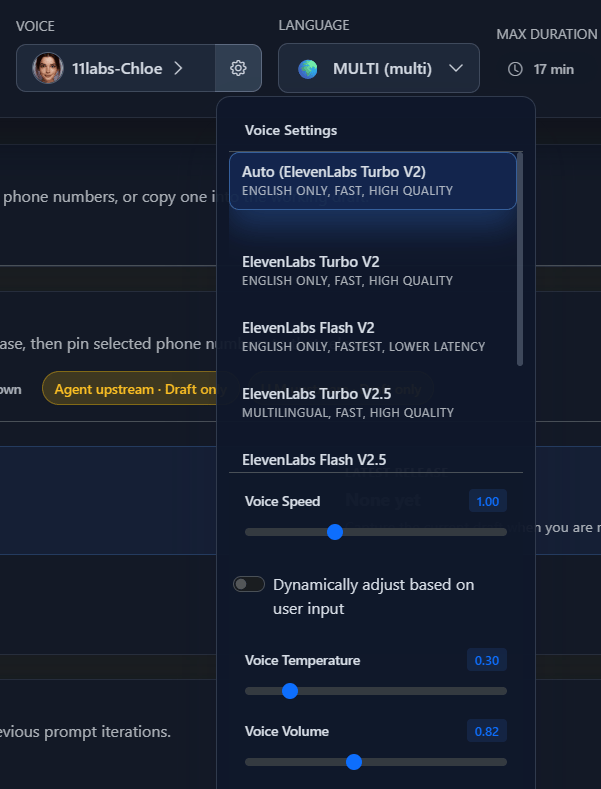
3
Set Conversation Initiation
Choose how your agent starts each call: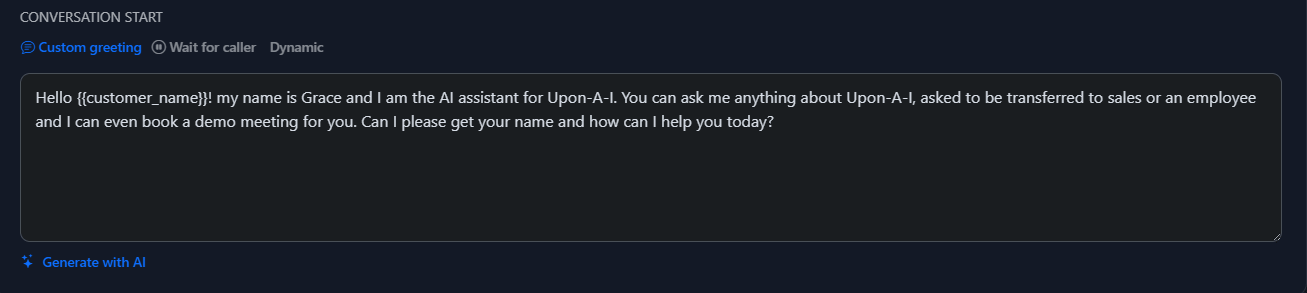
More Settings
After the core setup, configure these additional areas to fine-tune your agent.Global Prompt
Define your agent’s persona, identity, and behavioral guardrails that apply across all states.
Knowledge Base
Supply contextual documents, URLs, and text your agent can reference during calls.
Speech Settings
Fine-tune responsiveness, interruption sensitivity, backchanneling, pronunciation, and keyword recognition.
Call Settings
Configure voicemail detection, silence-based call termination, maximum call duration, and initial pause timing.
Post-Call Analysis
Set up call review features to analyze performance after each conversation.
Privacy & Webhook
Manage data storage preferences and configure webhook event notifications.