
Overview
The Check Calendar Availability tool connects your agent to Cal.com so it can look up open time slots in real time based on what the caller requests.Setup
1
Create a Cal.com account
Sign up at cal.com if you don’t have one.
2
Configure an event type
In your Cal.com dashboard, create an event type with your preferred duration, availability, and settings.
3
Collect your credentials
You’ll need two values from Cal.com:
4
Add the function in UponAI
In your agent’s Functions section, click + Add and select Check Calendar Availability.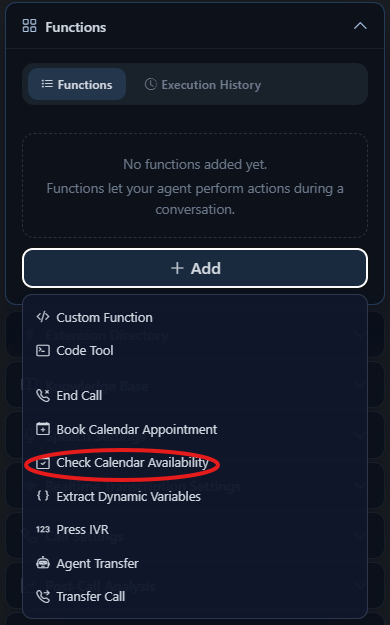
- Tool name
- Cal.com API Key
- Event Type ID
- Tool description
- Timezone (optional)
5
Update your prompt
Tell the agent exactly when to check availability: