
Overview
Custom functions let your agent call any external API via HTTP request — enabling integrations with your CRM, database, booking system, or any other service.Setup
1
Add the function
In your agent’s Functions section, click Add Function and select Custom Function.
2
Name the function
Use underscores to separate words. Example: 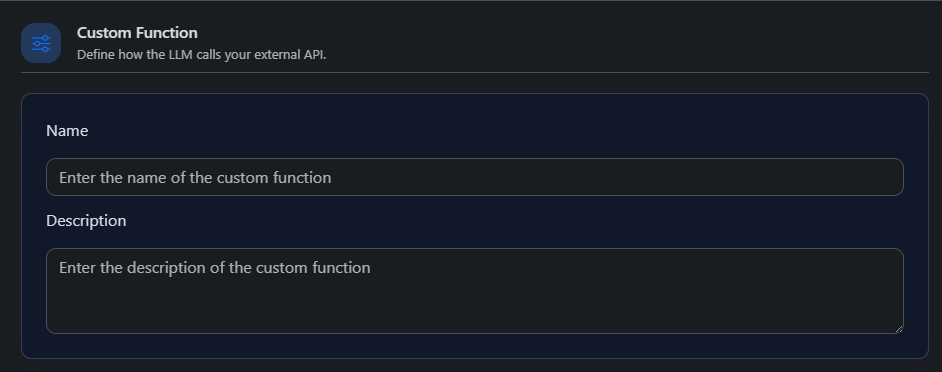
check_order_status, create_lead.3
Select HTTP method and set the endpoint URL
Choose from: 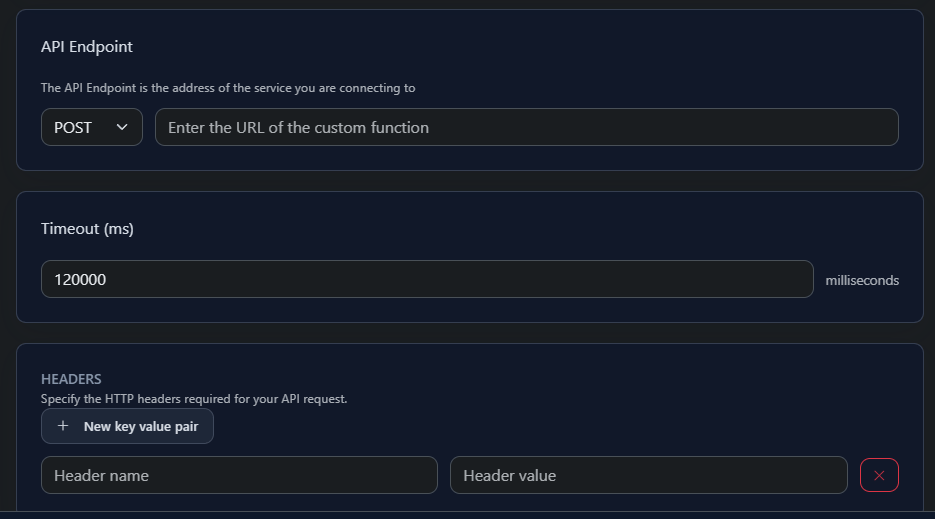
GET, POST, PATCH, PUT, or DELETE. Enter the full URL of your API endpoint.4
Configure headers and query parameters
Add any required authentication headers, API keys, or query params.
5
Define parameters
For
POST, PATCH, and PUT requests, define your request body using JSON schema format.Enable Payload: args only to send only the function arguments as the JSON body, without an outer wrapper.6
Handle the response
Map API response values to dynamic variables for use later in the conversation. Response data is capped at 15,000 characters.Configure speech behavior during and after execution: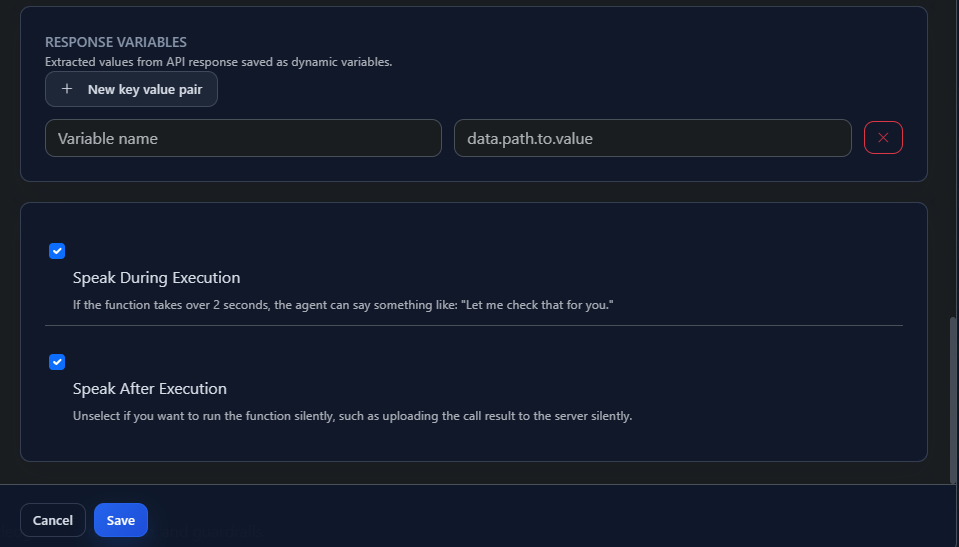
- Speak During Execution: Agent says something while waiting (e.g. “Let me check that for you.”)
- Speak After Execution: Agent discusses the result with the caller
Security
Every request includes anX-Retell-Signature header signed with your secret key. Verify this on your server to confirm requests are coming from UponAI.