
Overview
MCP (Model Context Protocol) lets you connect external tool servers to your agent, giving it access to a wide range of capabilities without building custom functions from scratch.Setup
1
Connect an MCP server
In your agent’s Functions section, click + Add MCP and fill in the connection details.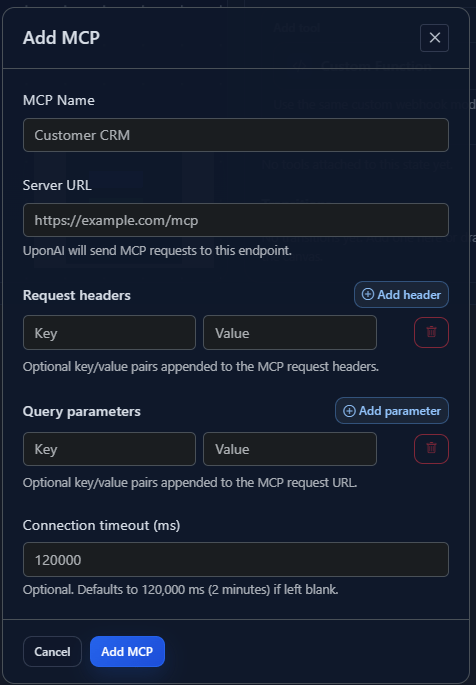
2
Configure headers
Optionally add custom headers to be sent with requests to your MCP server.
3
Add query parameters
Optionally append query parameters to the MCP server endpoint URL.
4
Choose a tool
Select from the available tools provided by your connected MCP server.
5
Extract response data
Map response values to dynamic variables for use later in the conversation:
6
Save configuration
Save your MCP tool configuration to make it available to your agent.
7
Update your prompt
Tell the agent explicitly when to invoke the MCP tool: